

QR codes have become one of the most common ways to connect the physical and digital worlds.
Menus, forms, payments, reviews, instructions, product information, and customer support — many people already know how to open a camera and scan a code.
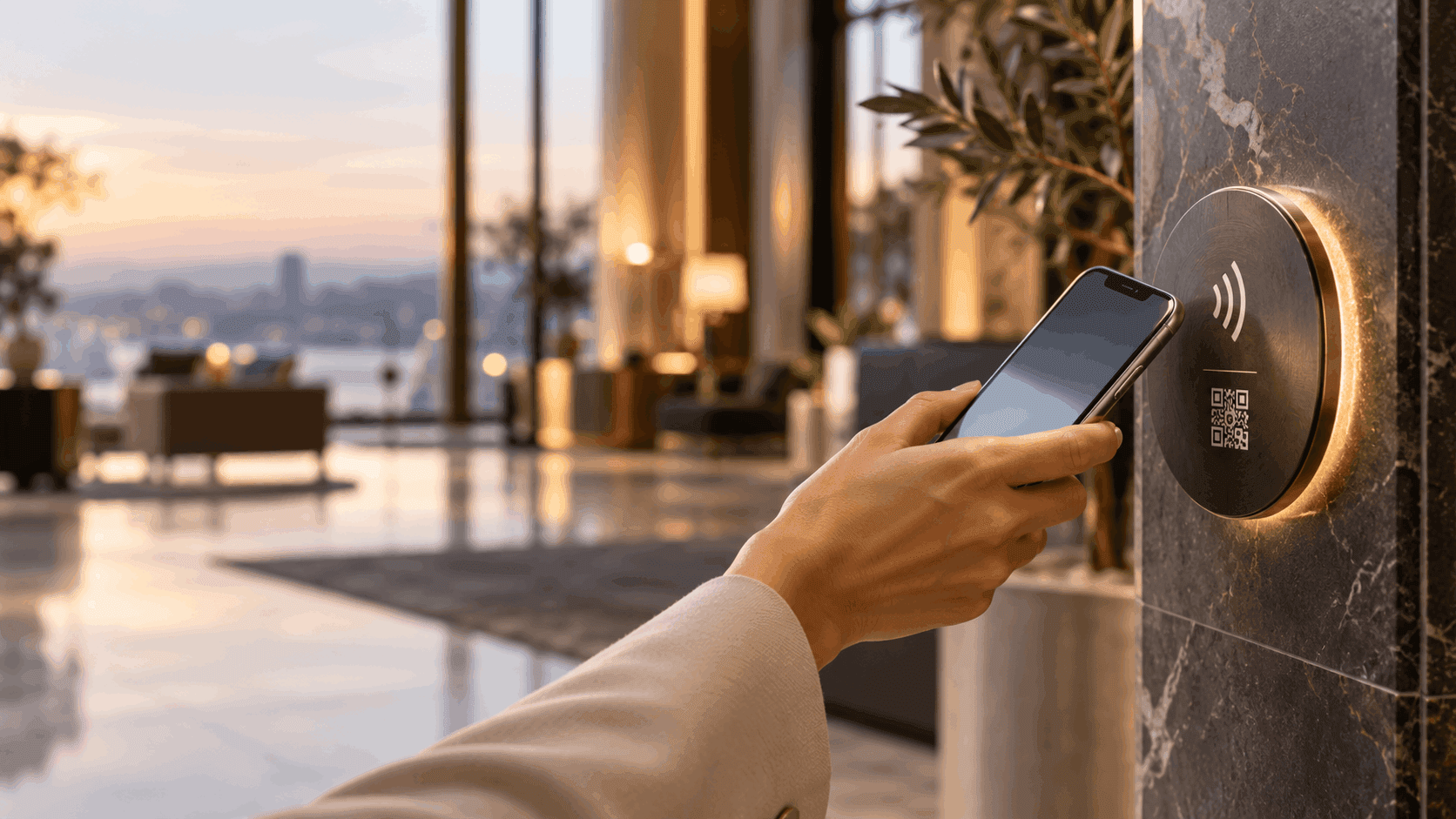
Alongside QR, another technology is becoming a more meaningful part of the physical-digital experience: NFC. Instead of opening a camera and scanning a code, users bring their phone close to a touchpoint. Tap — and the service opens.
So which is better? Does NFC increase conversion? Is it more accessible? Is QR still needed? The comparison is not only technical. It also concerns friction, accessibility, design, brand, and user experience.
The Difference Starts with the Number of Actions
With QR, users usually need to:
- Notice that a QR code is there.
- Take out their phone.
- Open the camera.
- Point it at the code and wait for recognition.
- Tap the link and enter the service.
With NFC, the flow can be shorter: bring the phone close to the touchpoint, tap the notification, and open the service. It may sound like a small difference, but each additional action is a possible point of abandonment. When thousands of users repeat the same action, even a small reduction in friction can matter.
Does NFC Really Convert Better?
There is no universal statistic showing that NFC converts a fixed percentage better than QR in every situation. Conversion depends on touchpoint placement, the message, the user’s motivation, the service, the design, the audience, and the physical environment.
NFC has a clear experience advantage when it removes actions between intent and task completion. A shorter, more natural flow can reduce friction, but actual results depend on implementation and measurement.
What Counts as a Conversion at a Touchpoint?
Conversion is more than a click. Think of the journey as:
Exposure → intent → interaction → service entry → action completed
For example, a hotel guest sees a touchpoint by the bed, wants an extra towel, taps their phone, opens the service portal, and submits a request. Each step can be measured. The goal is not simply to open a page; it is to reduce barriers between wanting a service and receiving it.
NFC Works Especially Well When Users Are Already There
NFC stands out when people are already near a physical object:
- In a hotel room: tap to open room service, request towels or housekeeping, or start a WhatsApp conversation.
- At a restaurant: tap to open a menu, place an order, or leave a review.
- Beside a product: tap for product information, a video, instructions, or warranty details.
- In a building: tap to open a service call near an elevator, lobby, or technical system.
- In a city: tap for information or reporting related to a tree, monument, facility, or public asset.
In each example, users are already at the right place. They do not need to photograph an object directly in front of them.
NFC and Accessibility: An Advantage That Requires Good Design
Reducing steps can matter to people with motor disabilities, hand tremors, low vision, or difficulty completing a sequence of precise actions. Scanning a QR code usually means opening a camera, holding the phone at an angle, aligning the code, waiting for recognition, and tapping a link. NFC may require only bringing the phone close, without aligning a camera with a small code.
However, NFC alone does not make a service accessible. The physical touchpoint must also be designed carefully:
- Place it at a reachable height and location.
- Use clear markings, legible text, and suitable contrast.
- Explain simply what will happen after tapping.
- Make the digital experience that follows accessible too.
NFC should be considered part of an accessible user journey, not an accessibility solution by itself.
What About QR?
QR is still useful and is often the right choice. Its biggest advantage is reach from a distance: billboards, digital screens, posters, product packaging, ads, train stations, presentations, and conference displays. In these cases, there is no reason to ask users to approach a physical touchpoint.
Many users also recognize QR immediately and know what to do. QR is not something NFC needs to replace; in many cases, the two complement each other.
Why Choose? Combine NFC and QR
A smart touchpoint can include both NFC and QR, and both can lead to the same experience. Users can choose Tap when they are close, or Scan when using the camera is more convenient. The organization does not force one method; it gives people a choice.
Beyond Conversion: The WOW Effect and Design
One of the most interesting differences between NFC and QR is emotional, not technical. There is a difference between seeing a barcode sticker and seeing a touchpoint designed as part of a place. A user brings a phone close, gets a response, and the service opens. It can feel more like contactless payment, a digital key, or a connected product — and less like scanning a barcode.
In spaces that invest in customer experience, a touchpoint can fit the design: a branded disc, a small surface, part of a sign or piece of furniture, or a plate made from metal, acrylic, or wood. Technology becomes part of the physical interface.
A Touchpoint Is an Interface, Not Just a Link
Think of a touchpoint as a button in the real world. Users do not need to know which URL they are opening or which system works behind the scenes. They only need to understand: this is where I get service.
The message on the touchpoint also affects interaction. “NFC / QR” explains less than a clear instruction such as “Need something for your room? Tap here”, “Want to leave a review? Tap here”, or “Learn about this tree”. Technology is the method; the call to action explains why to use it.
Measure the Physical World
A good touchpoint system can help organizations understand how many people used each point, where and when they used it, which service they opened, which action they completed, where users dropped off, which points are rarely used, and whether a change to the call to action affected results.
This lets organizations treat physical space more like a website or app: measure, improve, and optimize.
How Can You Know What Works? Test It
Place several touchpoints with the same service and message. Encourage Tap at some and Scan at others, then compare interactions, service entries, completed actions, abandonment, and time to completion. A/B testing does not have to happen only online; it can happen in the physical world too.
In Conclusion: NFC or QR?
There is no single answer for every scenario. QR is excellent when people need to scan from a distance, in printed media, or wherever a camera is convenient. NFC is especially useful when the user is already beside an object and the interaction should feel quick and natural.
For many modern touchpoints, there is no reason to choose only one: NFC + QR let users choose the method that works for them.
NFC’s value is not only saving one or two actions. It combines lower friction, better accessibility in some scenarios, a more natural experience, brand-aware design, a sense of discovery, and the ability to turn a physical object into a digital interface.
The question is not only how users will scan a link. It is how to make every physical point a simple, accessible, and intelligent moment of interaction.